Building your backend
It is easier for us to run this service if you use a Dockerfile to build your project. How you do this depends on the language you’re using.
Node.js / JavaScript
If your backend uses Node.js (i.e. is written in JavaScript), you should make sure you build it with Docker. For most projects, this means you need to:
Create a Dockerfile
This is a filed named Dockerfile in the directory of your project. The following contents will probably work (you may need to change the "index.mjs" to be the entry-point of your project):
FROM node:alpine
ENV NODE_ENV=production
COPY . /app
WORKDIR /app
RUN npm --omit=dev ci
ENTRYPOINT ["node", "index.mjs"]
Check this file into your repository.
To test this locally before deploying, cd into the file containing the Dockerfile and run the following command:
docker build -t test-build . && docker run -it --rm -p 3000:3000 test-buildIf your program successfully starts and runs, you’re set. If not, you’ll need to debug this (and if you’re stuck, ask on Slack!)
Other languages
You may need to research how to dockerise your backend. If you’re stuck, ask for help on Slack.
Creating a backend
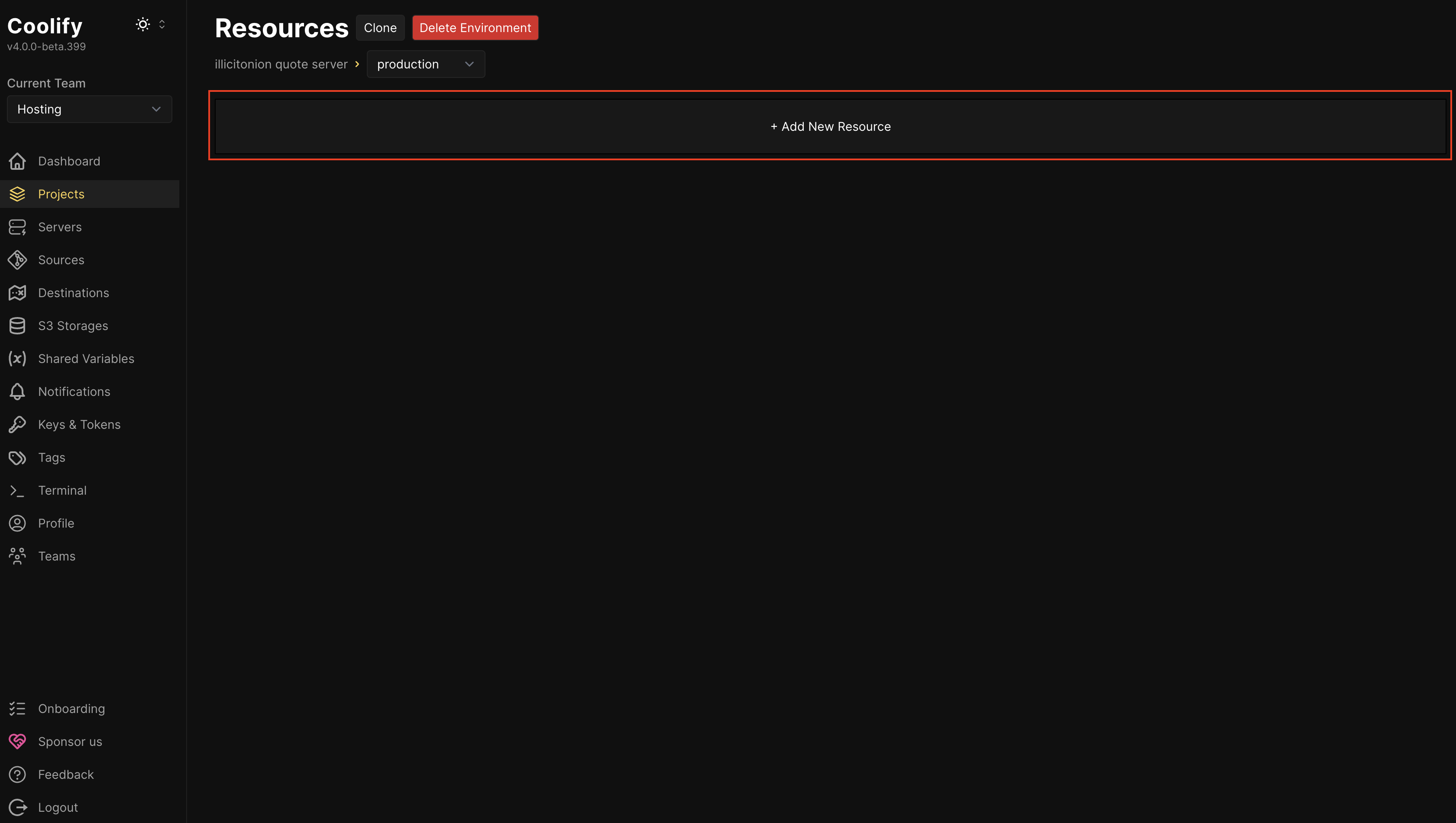
Click “Add New Resource”
Add the GitHub repository
The hosting platform needs to know where to get your backend from.
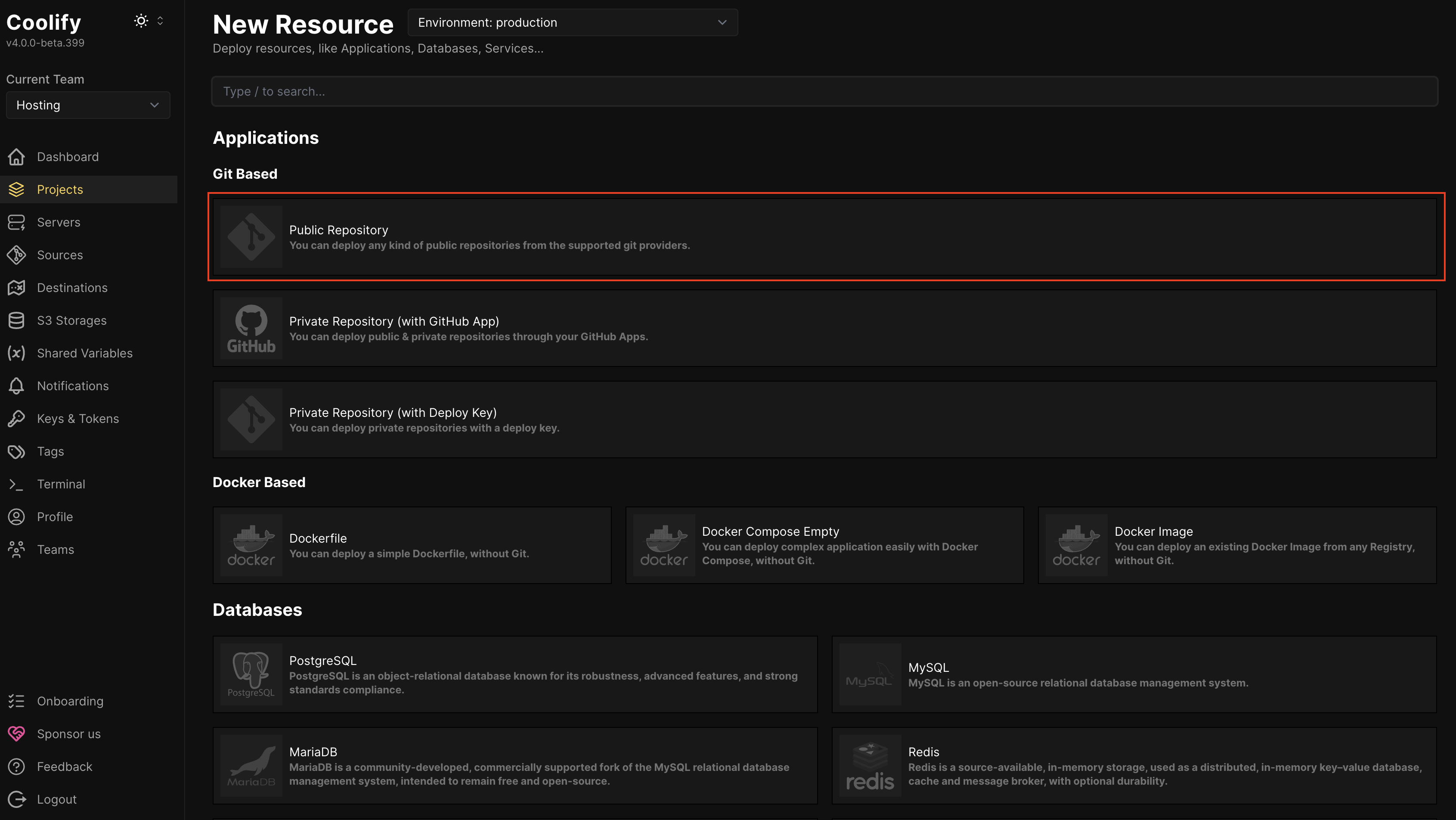
You probably want to add a “Public Repository” Git Based repository, to tell it your project is in GitHub.
If you want your application to auto-deploy when you push changes to it, you’ll need to instead choose “Private Repository (with GitHub App)” and set up a GitHub App yourself.
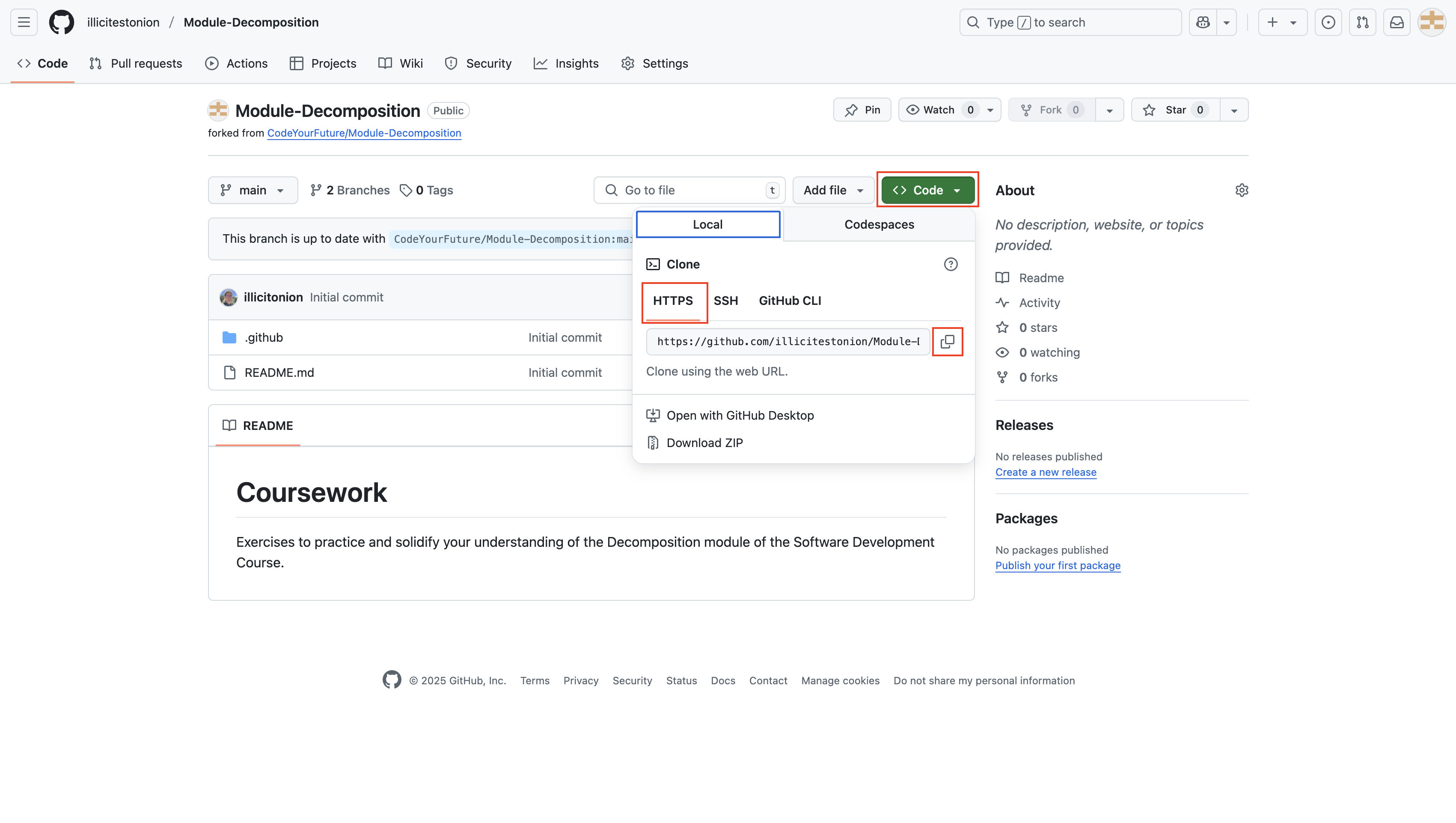
Open your GitHub in another tab, and copy the HTTPS Clone URL
Go back to the CYF Hosting and paste the URL into the “Repository URL” field
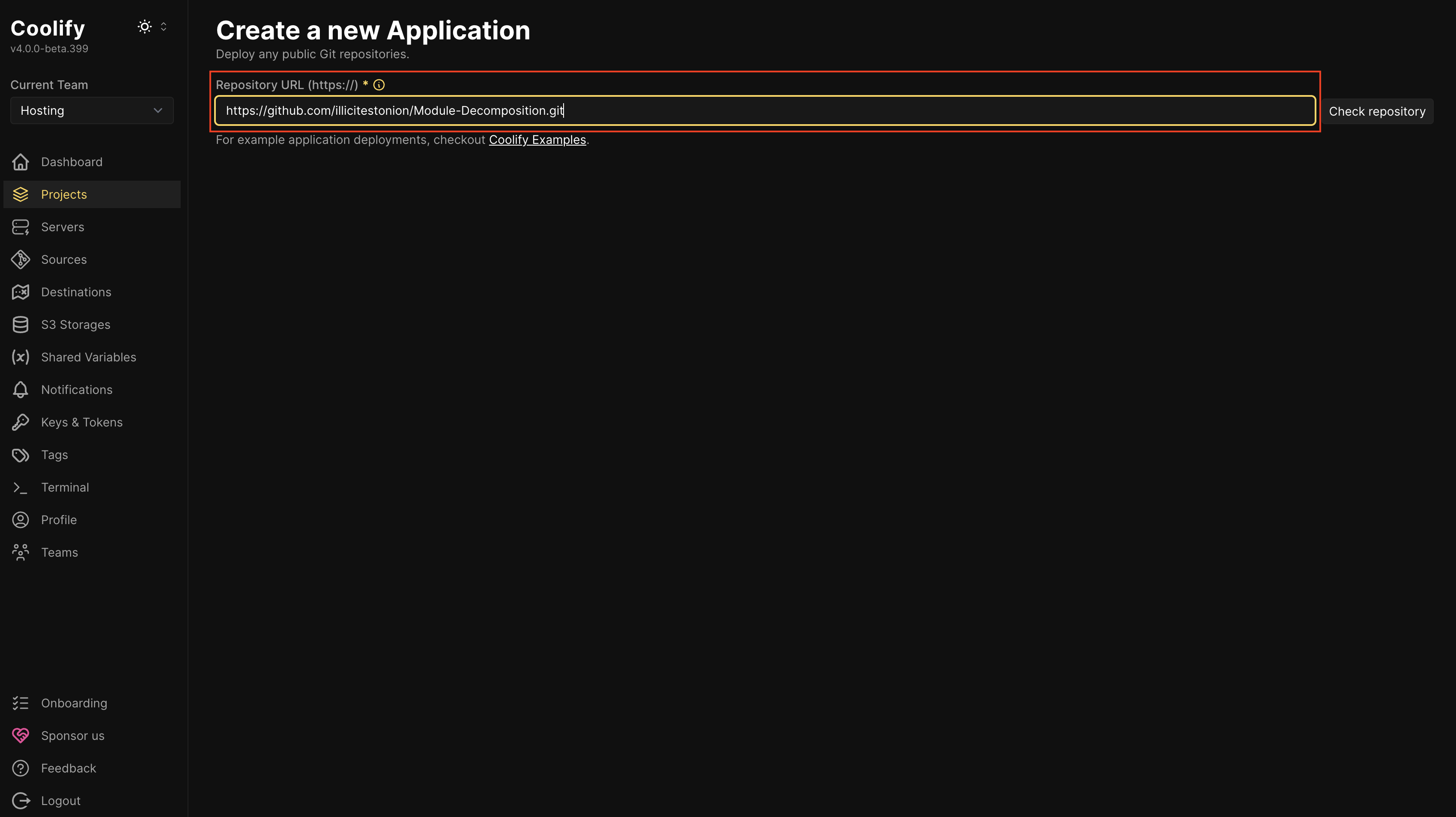
Click “Check repository”.
If your backend is in a sub-directory of your GitHub repository, update the Base Directory (e.g. to /quote-server/backend if that’s where your backend is).
📢Important
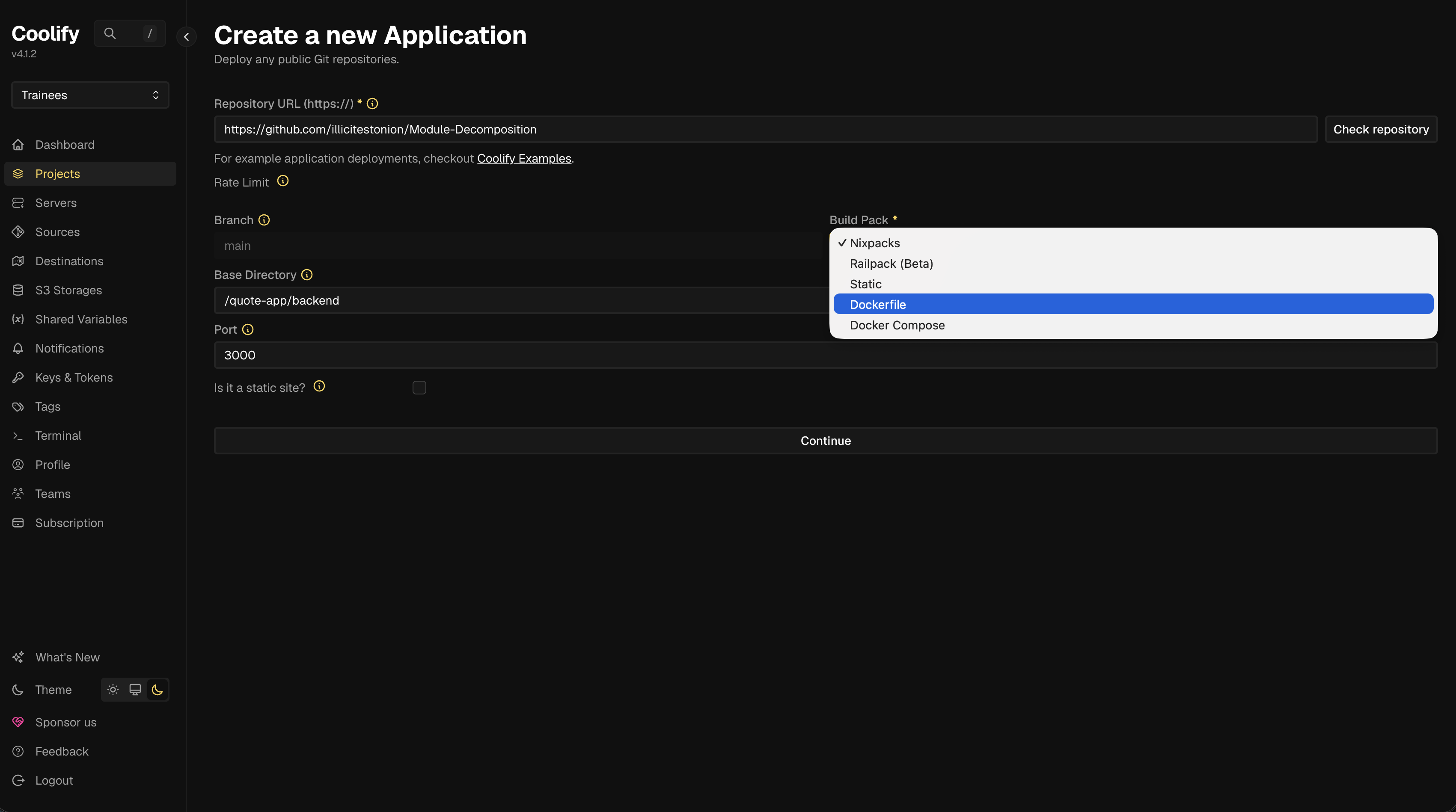
For projects building with Docker (e.g. Node.js projects)
Make sure to select “Dockerfile” from the “Build Pack” menu:
For projects that are not using Docker
Make sure the Port field contains the correct port number that your backend will listen on.
For everyone
Press Continue.
Configuring the backend
Most things should Just Work.
There are some things you may want or need to configure. If you do change any, you need to press the Enter key to save the change.
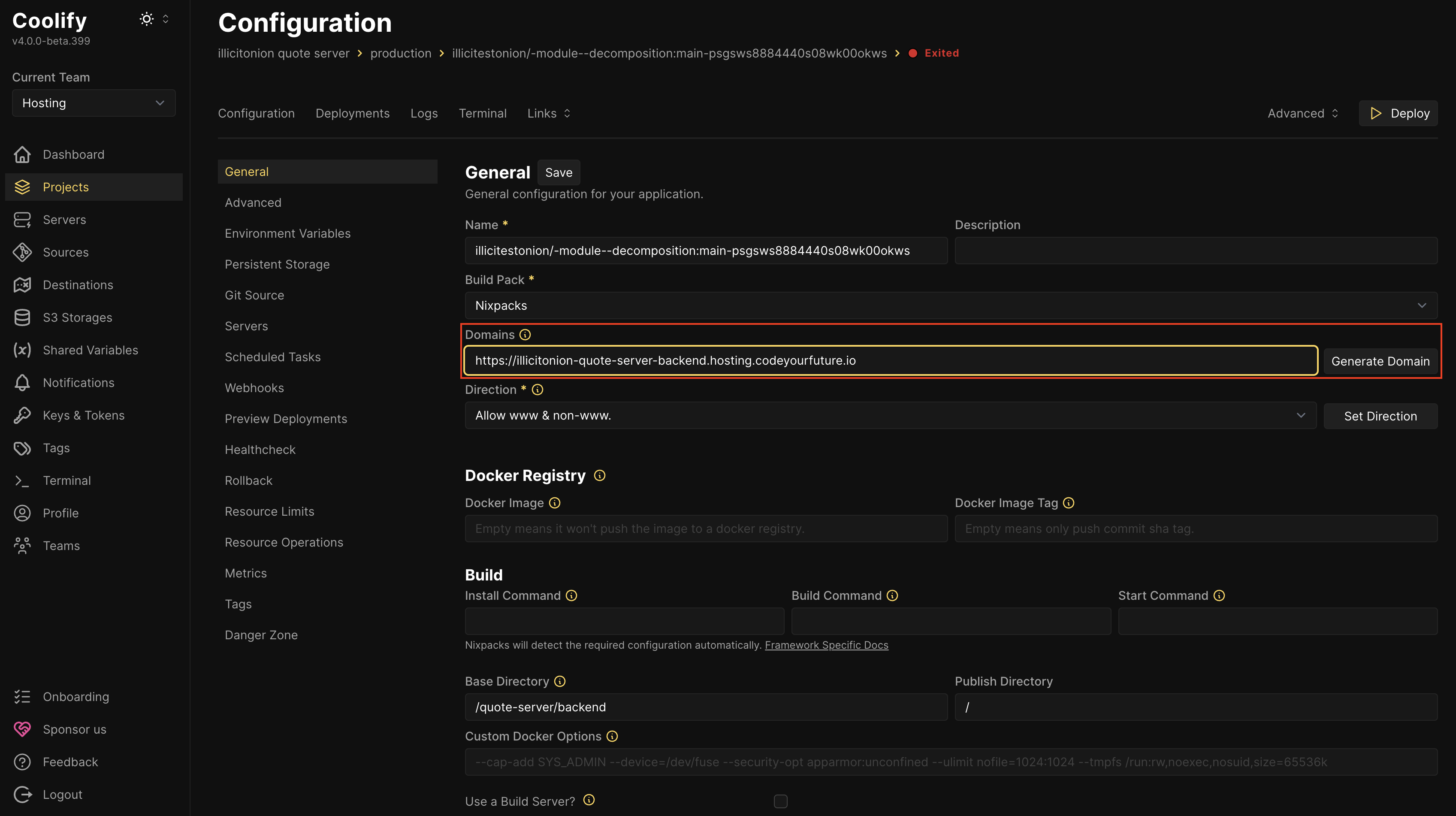
You may want to choose a friendly/memorable Domain:
If things aren’t auto-detected properly, you may need to explicitly enter the commands used to Install your dependencies, Build your backend, or Start your backend:

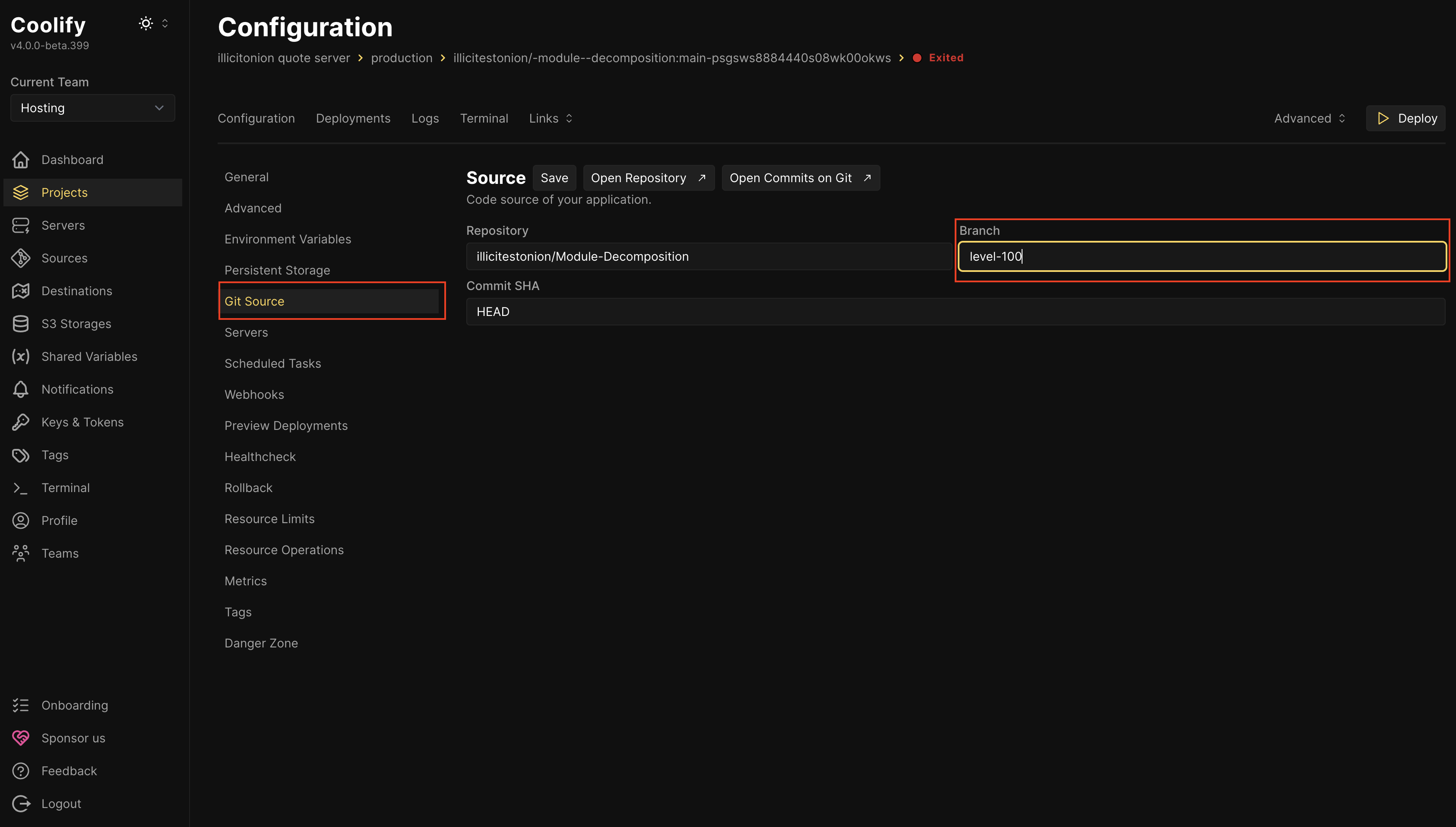
If you want to deploy from a branch that isn’t main, you need to configure this in the Git Source tab:
Deploying the backend
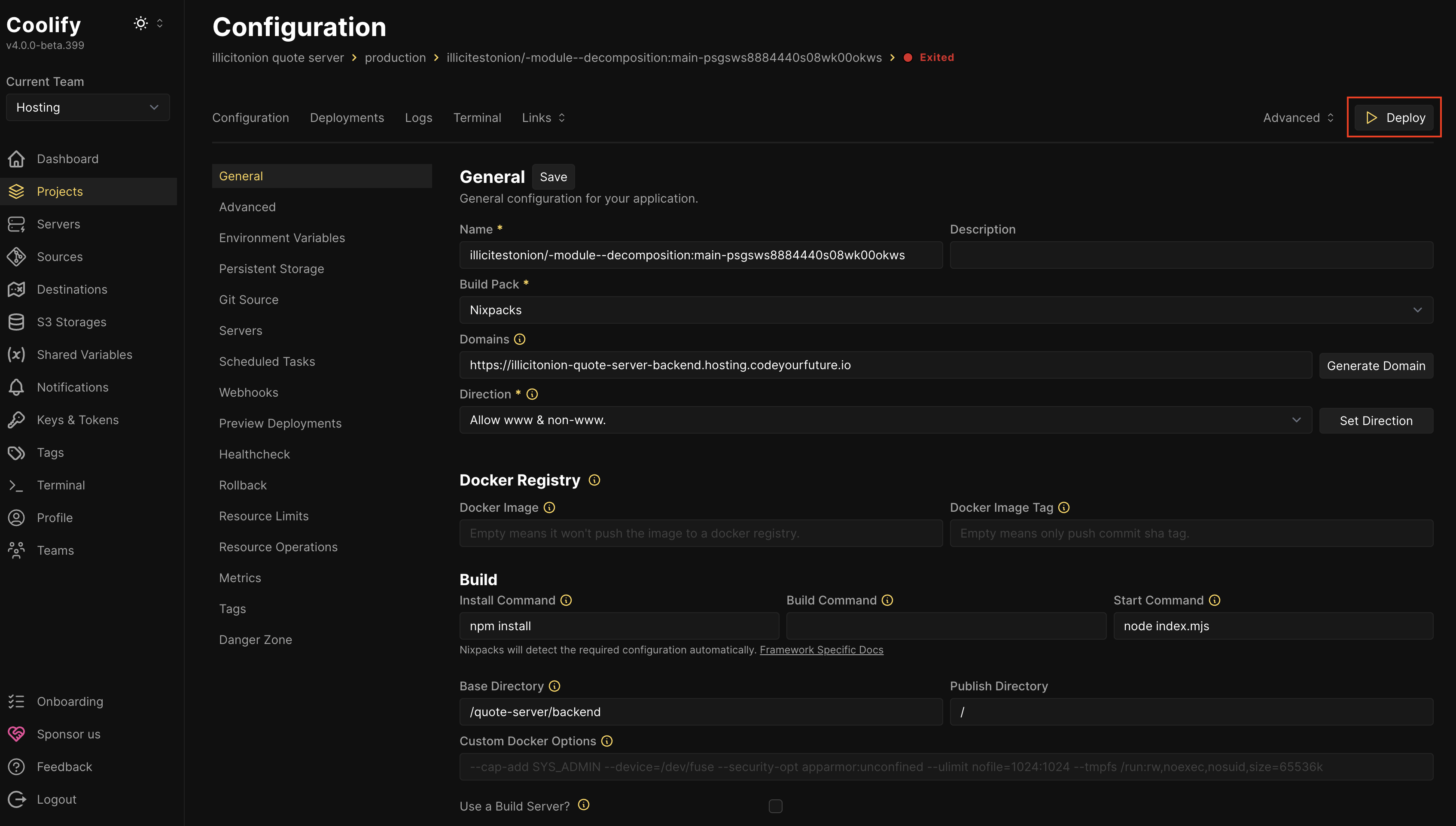
When everything is configured correctly, press the Deploy button:
Watch the logs. Fix anything that goes wrong. When the deploy is finished, you can test out your backend.